
Your health, all in one place.
Medicines, appointments, hospital letters and photos, kept together and ready when the doctor asks.
Works on phones, tablets and computers. No adverts, and we never sell your data.

Today's medicines
Example screen
What it does
Everything the hospital, GP and pharmacy don't join up
If you take a lot of medicines or go to a lot of appointments, keeping track is a job in itself. Legends Health keeps it in one place.
Medicines and reminders
Search the full NHS list of UK medicines, even with rough spelling or the brand name on the box. Get a reminder when each one is due.
“When needed” timer
Tap “I've taken a medicine” and it tells you when the next one is allowed and how many you've had in 24 hours, then lets you know when you can take it again.
Appointments
Keep every appointment with your notes and questions for the doctor. Add them to your phone's calendar with reminders.
Letters, results and photos
Upload hospital letters, test results, prescriptions and photos. Look at them in the app, or select a few and share, save or print them in seconds.
Show the doctor
One big, clear screen with your allergies, conditions and medicines. With Premium, make a doctor pack: one PDF with your summary and chosen letters.
Family and carers
Link with the people who look out for you. They can see if doses have been taken and when stock is low, and only what you choose to share. With Premium, they can get missed-dose alerts too.
Daily diary
Note how you feel each day, your pain, sleep and symptoms in a few taps. Spot patterns and show the doctor how the last two weeks have really been.
Your children too
Add your children and keep their medicines, appointments and letters alongside yours. Separated parents can both look after the same child, with reminders on both phones.
Your health record as a PDF Premium
Download a smart, easy-to-read PDF of your whole record, ready to save, print or take to a new doctor or a hospital stay.
Free and Premium
Free keeps you organised. Premium does the paperwork for you.
Your medicines, reminders, appointments, letters, diary, doctor summary and emergency card are free for everyone. Premium adds recordings, ready-made PDFs and alerts for the family.
Free
£0 for ever
No card needed. No adverts.
- Medicines with reminders, and the “when needed” timer
- Appointments with notes and calendar reminders
- Letters, results and photos, all in one place
- Doctor summary on screen, ready to show
- Emergency card, including Apple Wallet
- Daily diary for pain, sleep and symptoms
- Family and carers sharing, with low-stock alerts
- Look after up to 2 people, such as your children
- Download all your data any time
- No adverts, ever
Premium
£2.99 a month
or £29.99 a year (2 months free)
- Everything in Free, plus:
- Record conversations with doctors and nurses, with written notes of what was said
- Doctor pack and health record PDFs, ready to print or send
- Missed-dose alerts for family, by notification and email
- Look after up to 12 people
- More Premium features as we add them
- Cancel any time, in a couple of taps
Got a partner code? Add it before you pay to save 10%.
| Compare | Free | Premium |
|---|---|---|
| Medicines, reminders and “when needed” timer | ✓ | ✓ |
| Appointments and calendar reminders | ✓ | ✓ |
| Letters, results and photos | ✓ | ✓ |
| Doctor summary on screen | ✓ | ✓ |
| Emergency card and Apple Wallet | ✓ | ✓ |
| Daily diary | ✓ | ✓ |
| Family sharing and low-stock alerts | ✓ | ✓ |
| Download all your data | ✓ | ✓ |
| People you look after | Up to 2 | Up to 12 |
| Record conversations with written notes | – | ✓ |
| Doctor pack and health record PDFs | – | ✓ |
| Missed-dose alerts for family | – | ✓ |
Premium is bought on this website for now. Recording works on the website and when Legends Health is added to your home screen; it's coming to the iPhone and Android apps soon. Payments are handled securely by Stripe; we never see your card details.
Getting started
Set up in a few minutes
All you need is an email address and a password.
Start typing a name and pick the strength on your box. Add the times you take it, or tick “only when needed”.
Put Legends Health on your phone like an app, then turn on reminders. See how.
Put it on your phone
Add Legends Health to your home screen
Our App Store and Google Play apps are on the way. Until then, add Legends Health to your home screen and it opens just like an app, full screen, with reminders.
iPhone and iPad Your phone
- Open legends-health.com/app in Safari (the blue compass).
- Tap the Share button. On newer iPhones, tap ••• first, then Share.
- Scroll down and tap Add to Home Screen. If you see Open as Web App, leave it switched on.
- Tap Add. Legends Health is now on your home screen.
Reminders need iOS 16.4 or newer, and only work when you open Legends Health from the home screen icon.
Android Your phone
- Open legends-health.com/app in Chrome.
- Tap the menu at the top right.
- Tap Add to home screen or Install app.
- Tap Install. Legends Health is now with your other apps.
Using Samsung Internet? Tap the menu at the bottom, then Add page to, then Home screen.
For care companies
Run your care company from one place
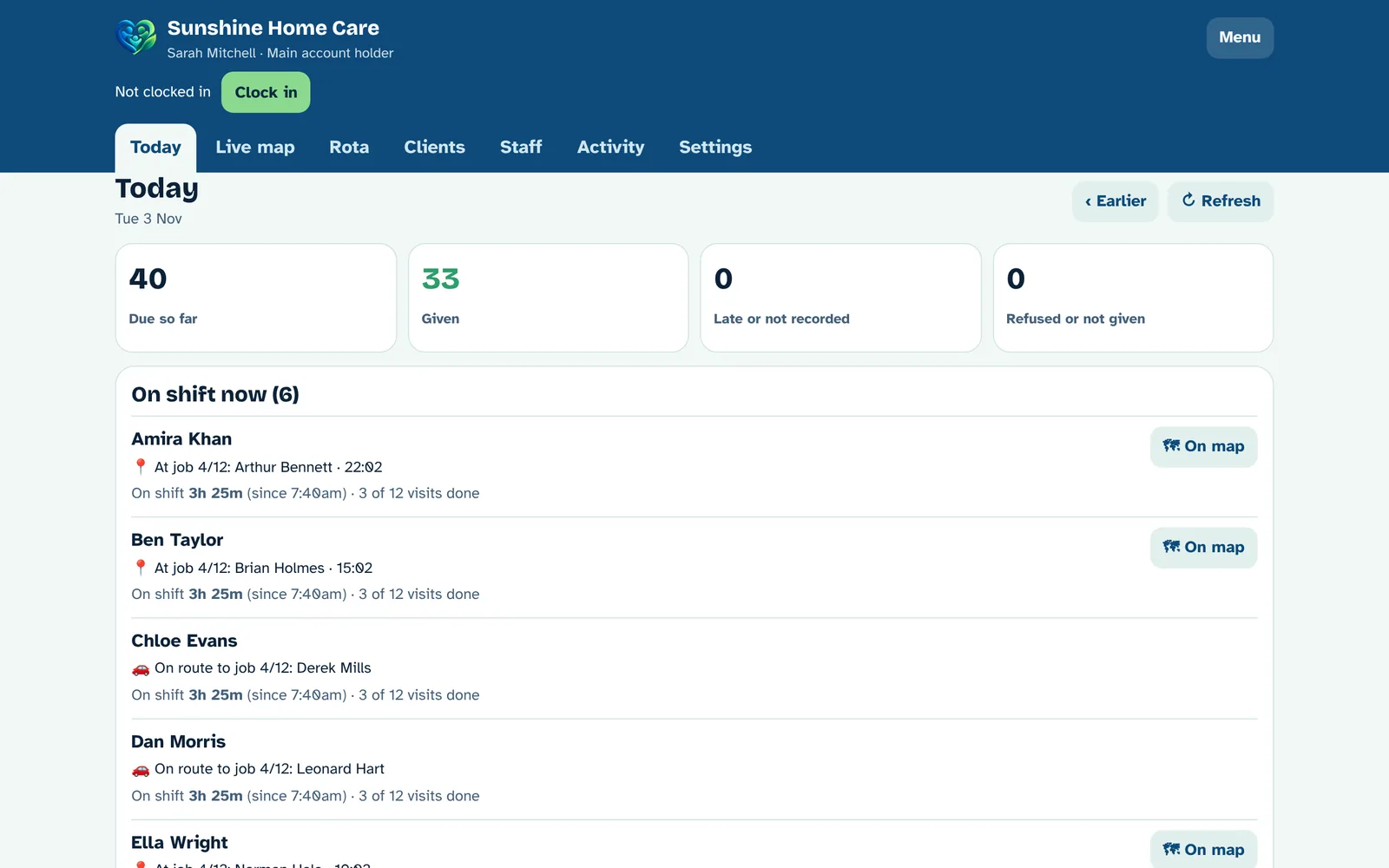
For home care and care homes. The Legends Health care hub brings your rota, staff, clients and residents, medicine records and vehicles together, on a PC in the office and a simple app on every carer's phone.
- Rota made easy: a big grid of carers and times, with drive times between visits. Drag a visit to another carer to move it.
- See your day live: who's at a job, who's on the way, how long they've been there, and anything late or missed.
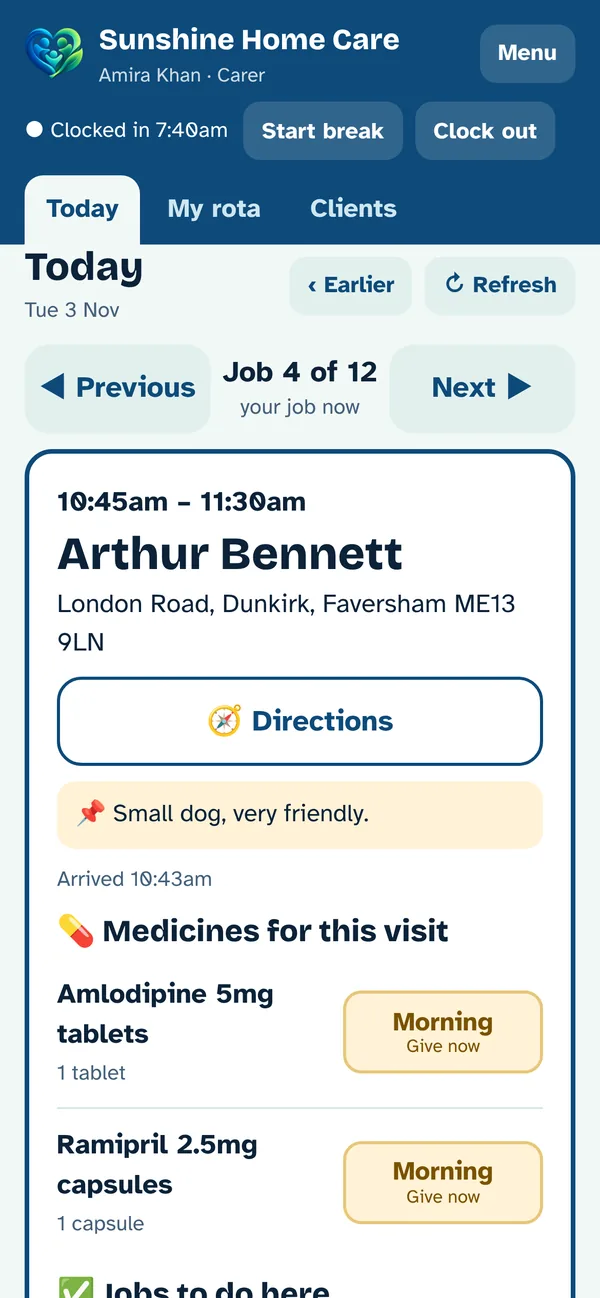
- A simple phone app for carers: one job at a time, big buttons, medicines and a checklist for each visit.
- Medicine records (eMAR): medicines from the NHS dm+d list, and every dose given, refused or not given, with the time and who did it.
- Looks after your staff: a friendly "Is everything OK?" check if a visit runs over, and extra time requests to a supervisor.
- Care homes too: residents in units and rooms, staff shifts, medicine rounds, a daily care log and shift handovers.
- Fleet management: vehicles by registration, with MOT, tax, insurance and service warnings, vehicle checks and driving licence checks.
Your privacy
Your records belong to you
Health information is personal. Legends Health is built so that you are in control of it.
- We never sell your data, and there are no adverts.
- Only you can see your records, unless you choose to share them with family.
- Your password is never stored, only a scrambled version of it.
- Download everything, or delete your account and all your records, at any time.
- Lock the app with Face ID, your fingerprint or your phone's PIN.
Questions
Good to know
Is it free?
Yes. Creating an account and using Legends Health is free, with no adverts. The essentials (medicines, reminders, appointments, records and your doctor summary) will always stay free. Premium (£2.99 a month or £29.99 a year) adds recording conversations with doctors, doctor pack and health record PDFs, missed-dose alerts for family, and looking after more people. You can cancel it any time.
Is it medical advice?
No. Legends Health is for keeping your own records and reminders. It does not diagnose or give medical advice. Always follow the instructions from your doctor, nurse or pharmacist, and call NHS 111 or 999 if you need urgent help.
Where do the medicine names come from?
From the NHS Dictionary of Medicines and Devices (dm+d), the official list of medicines used across the NHS. GP surgeries, hospitals and pharmacies come from the NHS Organisation Data Service.
Does it work on iPhone and Android?
Yes. Add Legends Health to your home screen (see how) and it works like an app, including reminders. Apps for the App Store and Google Play are on the way.
Can my family see my records?
Only if you invite them. You choose what each person can see, such as medicines, stock, appointments, your diary or documents, and you can remove them at any time.
Can I keep my children's records?
Yes. Tap “Add a child” on the home screen. Each child has their own medicines, appointments, diary and documents, and their reminders come to your phone. If you share care with another parent, you can give them full access so you both keep the records up to date.
What if I forget my password?
Tap “Forgot your password?” on the log in screen and we'll email you a link to set a new one. Use an email address you will keep, as it is how you get back into your account.
Is this an official NHS service?
No. Legends Health is an independent app and is not part of the NHS. It is a personal record that you keep yourself.